Bank statements converter
Convert PDF bank statements to Excel, CSV, QBO, OFX and Google Sheets in under 15 seconds. First 8 pages free — no account needed.
Drop your statement PDF
or browse files
Chase ·Wells Fargo ·Bank of America ·Citi ·Capital One ·U.S. Bank ·Truist +400 more
Pick one or more formats — you get a separate download for each.
Bank-grade security— Files processed securely and deleted immediately
01 / ConvertStatement in numbers
The converter built for busy books.
Accountants, bookkeepers, CPAs and small businesses use ConvertStatement to skip manual entry and get reconciliation-ready files in seconds.
Discover the featuresmulti-page PDFs converted, start to finish
amount, date and reference accuracy
banks covered, worldwide
pages free on every account, forever
02 / The problem
Manual entry eats your week.
A month of bank statements typed by hand means hours lost, typos that break reconciliation, and a month-end backlog that never shrinks. ConvertStatement reads the PDF and hands you a clean file instead.
Conversion · PDF to spreadsheet
Manual typing
Every line re-keyed by hand — slow, dull, and easy to get wrong.
Copy-paste errors
Pasted tables split, merge and misalign — then reconciliation fails.
Month-end backlog
Statements pile up while close week waits on clean data.
03 / Features
We turn messy PDFs into ready-to-reconcile data — fast, private, and exact.
Lightning fast
Multi-page PDFs in under 15 seconds. No queuing, no waiting room.

Private by design
Files are processed in memory and never stored. Your data stays yours.
High accuracy
Amounts, dates, and references pulled precisely from structured bank PDFs.

400+ banks covered
Commercial, retail, credit unions, and digital banks globally supported.
Password PDFs
Enter your PDF password at upload — we support bank statements with default PIN or DOB locks.
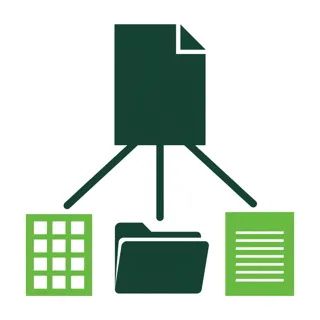
5 export formats
Excel, CSV, OFX/QBO for QuickBooks & Xero, and Google Sheets in one tool.

Simple pricing
First 8 pages free. Then monthly plans from $5 — no subscription traps.
Instant download
No email delivery, no waiting. Click Convert and your file downloads immediately.
04 / How it works
Three steps. Zero typing.
From a locked PDF to a file your books accept — in less time than making coffee.

STEP 01
Upload your PDF
Drag & drop or click to select. Works with every major global bank, including password-protected files.
STEP 02
Choose your format
Pick Excel, CSV, OFX/QBO for QuickBooks & Xero, or Google Sheets — each optimized for its target.
STEP 03
Download instantly
File is ready in under 15 seconds. Clean columns, correct dates, every transaction captured accurately.
05 / Free QuickBooks tools
Ten free tools. Scan free.
Pick one, scan free, no account needed. QBO downloads are on Pro.
 QBO Duplicate FinderFind duplicate transactions hiding in a QBO file
 Stripe QBO ConverterConvert Stripe payouts to QBO
 PayPal Payout to QBO ConverterConvert PayPal payouts to QBO
 Receipt to QBOTurn receipts into QBO rows
 QBO File CheckerValidate a QBO file before import
 CSV to QBO ConverterConvert CSV rows to QuickBooks QBO
 Amazon Settlement to QuickBooksConvert Amazon payouts to QBO
 Shopify Payout to QuickBooksConvert Shopify payouts to QBO
 Reconciliation Difference FinderFind what does not match, fast
 QBO Import Errors, ExplainedDecode QuickBooks import errors
06 / Pricing
Start free. Scale when ready.
Pro · Most popular
$20 /mo
for firms & bookkeepers
- ✓Everything in Basic
- ✓QBO / QFX / OFX downloads
- ✓Priority processing
Business
$75 /mo
for high-volume teams
- ✓Everything in Pro
- ✓High-volume conversion
- ✓Team-ready workflow
07 / FAQ
Questions, answered.
Over 400 global banks including Chase, Barclays, Citibank, Wells Fargo, HSBC, Santander, BMO, CBA, and more. Email us if yours isn't listed.
Yes. PDFs are processed in memory and deleted immediately after conversion. Nothing is stored on disk or in a database. We strictly follow global data protection standards including GDPR and CCPA.
Yes. Enter the password during upload. We never store the password.
Every new account gets 8 pages free — no card needed. That covers most 1-3 month statements. After that, choose a monthly plan starting at $5.
Export as OFX or QBO from Convert Statement, then import directly into your accounting software's bank feed. Takes about two minutes.
We accept all major credit/debit cards (Visa, Mastercard, Amex) via Razorpay.
Stop typing statements.
Start converting.
Your first 8 pages are free. Upload a PDF and see a clean spreadsheet in under 15 seconds.